How to Send SMS Texts to a Contact
This step-by-step walkthrough answers the questions: "How do I send SMS texts to a contact?", "How do I send SMS texts to all my contacts?", and "How do send texts?"

Send One Contact an SMS Text
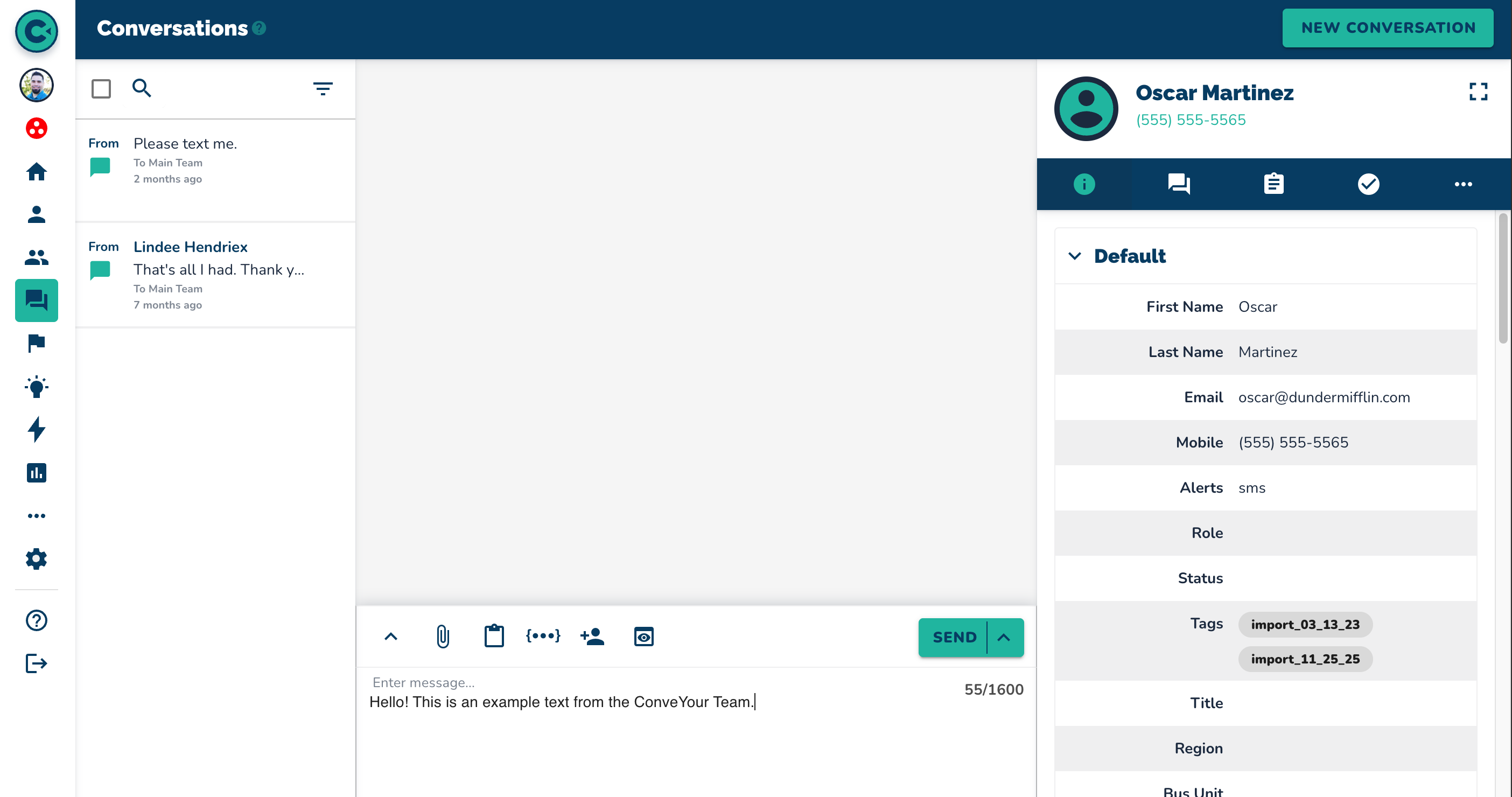
Navigate to "Contacts."
Select the desired contact.
Click on the chat bubble icon.
Type your message.
Hold the "Shift" key and press "Enter" to send the message, or click the "Send" button, or choose "Send and Close."
Send a Group of Contacts an SMS Text
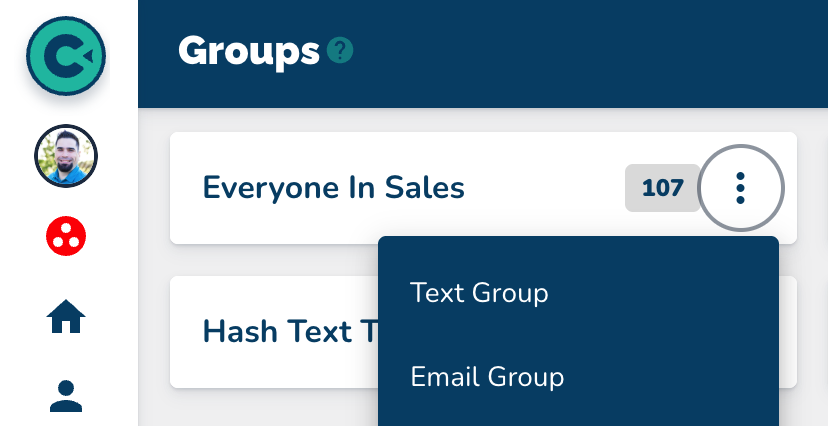
Navigate to "Groups."
Click on the three dots on the Group card (menu icon).
Select "Text Group."
Add the desired message.
Click "Send" to transmit the group text.
Automate a Group SMS Text
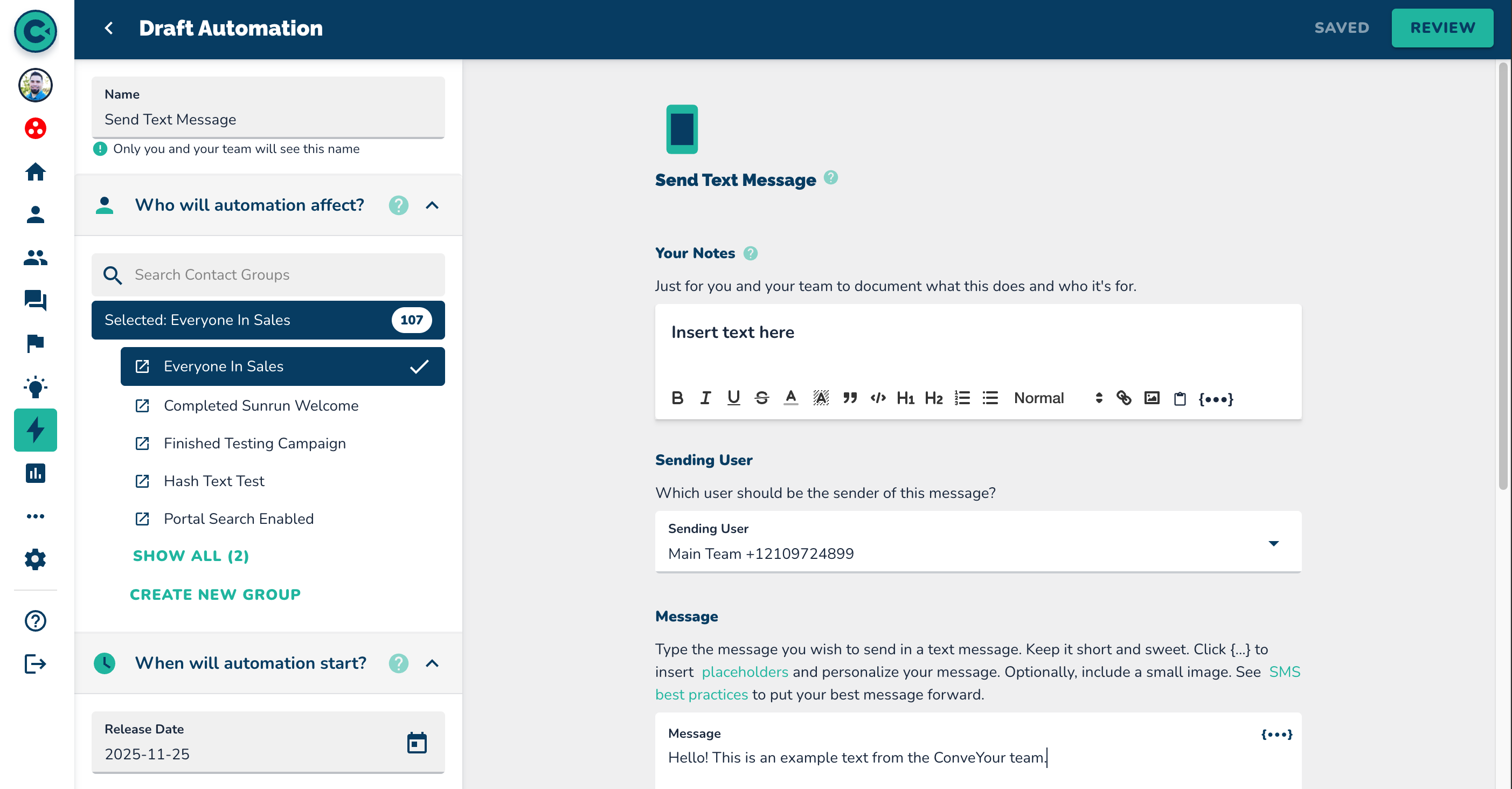
Navigate to "Automations."
Click on "New Automation" in the top right corner.
Select “Send Text Message” automation
Set up the automation for your messages as needed.
NOTE: For a more detailed view of this, see the How To videos that cover Automations

More in Quick How To's

Quick How To's
How to Add a Single Contact
This step-by-step walkthrough answers the questions: "How do I add a contact?", "How do I add a single contact?", and "How do I add one contact?"

Quick How To's
How to Import Contacts
This step-by-step walkthrough answers the questions: "How do I import a list of contacts?", and "How do I add multiple contacts at once?"

Quick How To's
How to Update Contacts
This step-by-step walkthrough answers the questions: "How do I update a contact?", "How do I change a contact's status?", and "How do I edit a contact's information?"

Quick How To's
How to Search for Contacts
This step-by-step walkthrough answers the questions: "How do I find a contact?", "How do I contacts?", and "Is there a way to search for people?"