
Easily Navigate Your Contacts with Contact Tabs!
Tabs make a contact easier to view. Starting November 2026, when you click a contact on your contact page, you'll see a new layout.
This is the new view
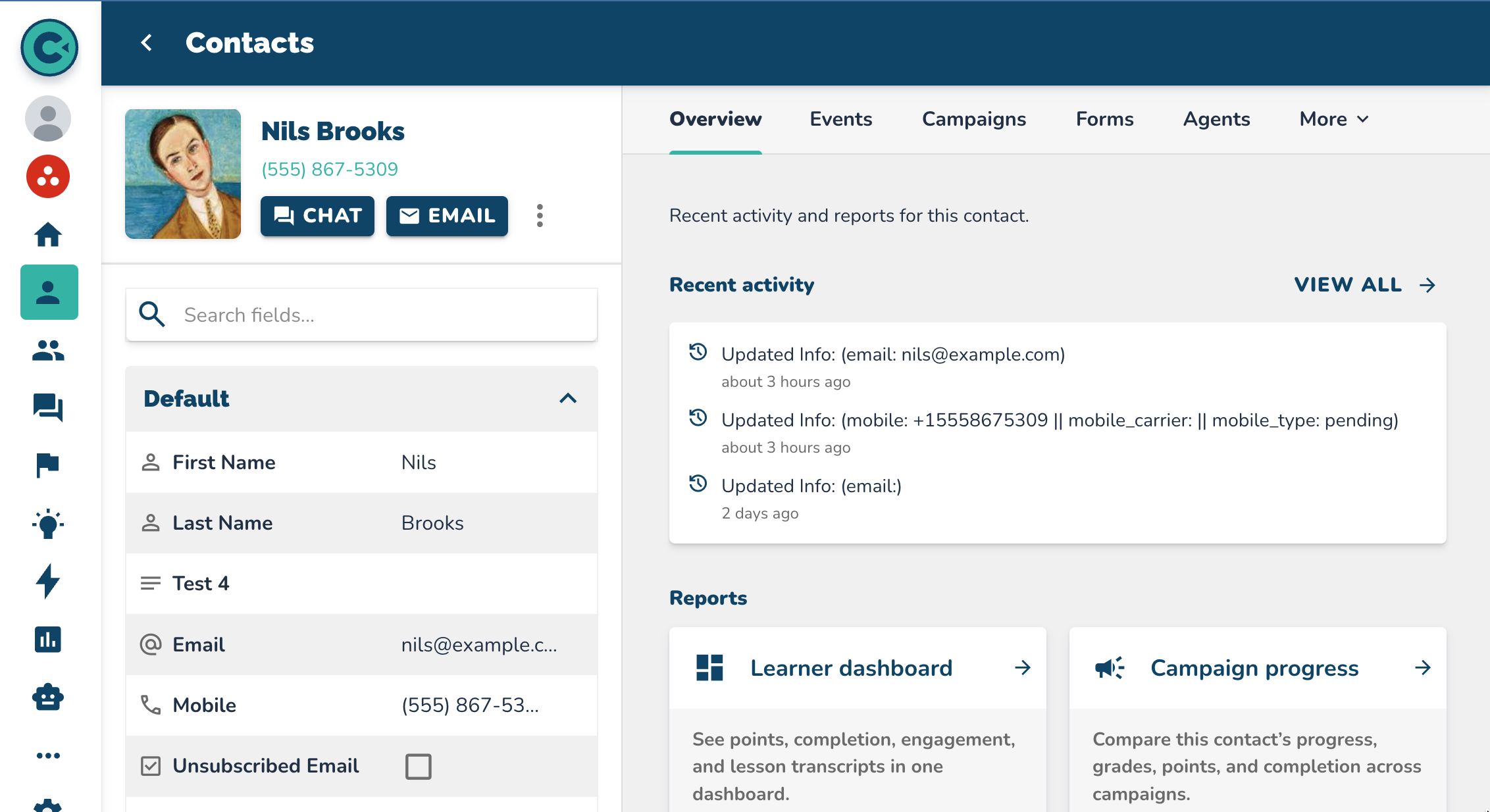 The contact's information stays on the left.
What's Different? (Tabs)
 Overview shows recent activity, reports for this contact, transcripts, and campaign progress.
Events is its own tab. Campaigns is a new tab. You can add the contact to a campaign there. You can also see every campaign the contact is in.
Forms is a tab if you have that add-on. Forms are like DocuSign or Adobe Sign. If you do not have forms, reach out to us.
Agents is a tab if you have that add-on. You can check the agents reaching out to this person.
You can also open the portal, the notes, and the tasks.
My favorite feature
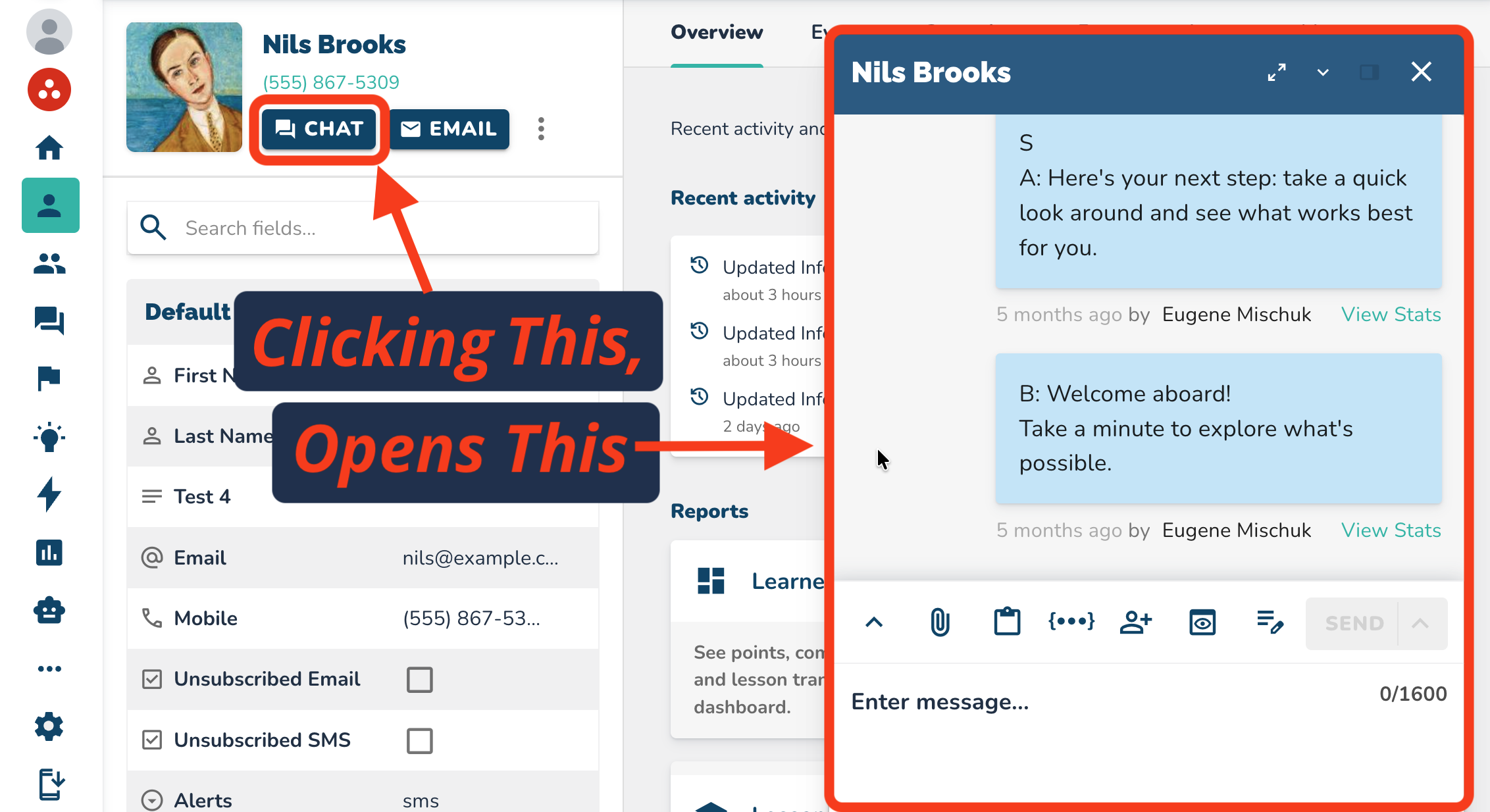
My favorite feature is that the "Chat" button opens the conversation right on the same page.
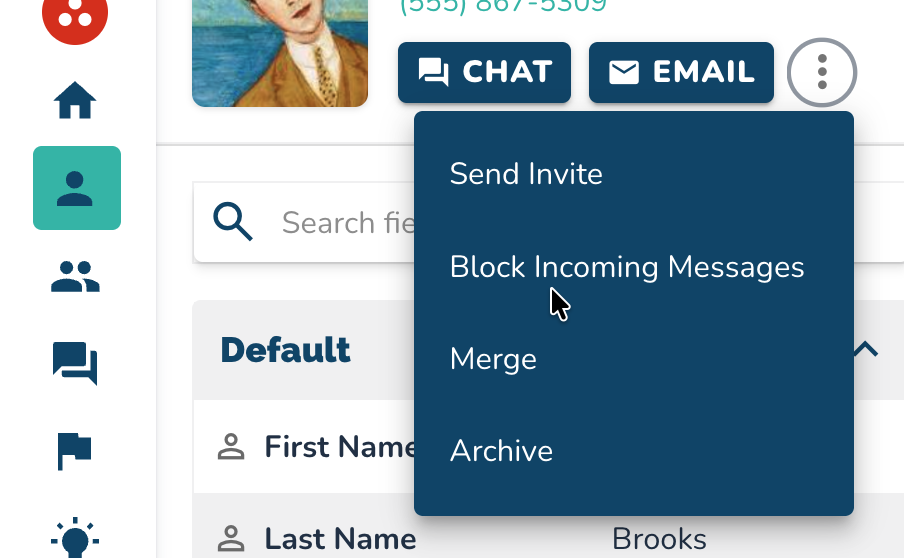
 The More button is still present. You can send an invite, block incoming messages, merge, or archive.
 There is also an update on mobile, but you'll have to go check that out on your own.
Questions and feedback can go to [email protected].
Here's A Quick Look at The Contact Redesign:
Want to Learn More about ConveYour?
Schedule a Demo to See ConveYour in Action!