Quick How To's

How to Archive (& Unarchive) a Contact

This step-by-step walkthrough answers the questions: "How do I archive a contact?", "How do I archive contacts?", and "How do I unarchive a contact?"

How to Archive (& Unarchive) a Contact

Step-by-Step Walkthrough
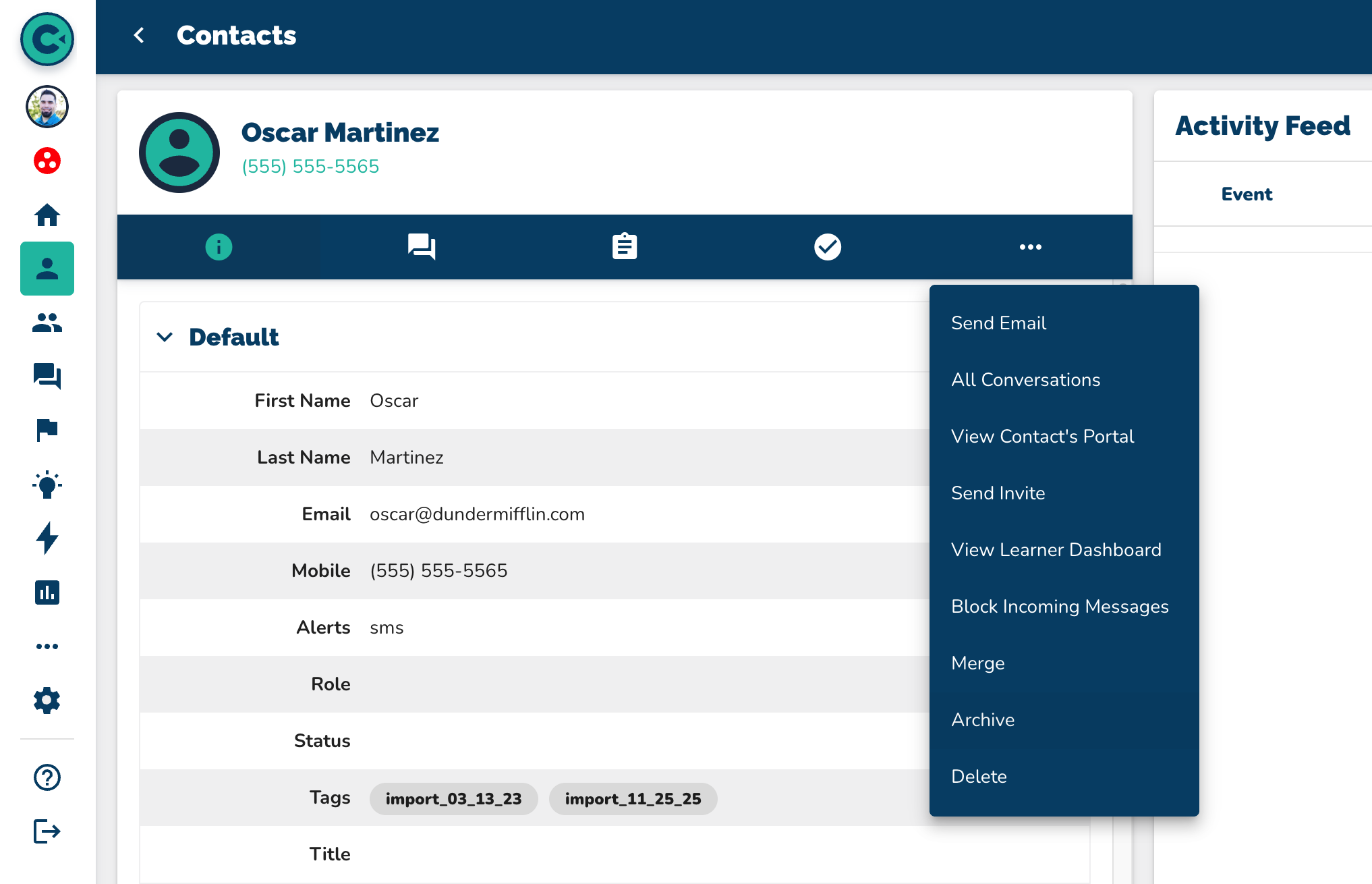
  1. Navigate to Contacts.

  2. Select your contact.

  3. In the blue bar underneath their name, click the three dots.

  4. Scroll down to Archive.

  5. Click "Confirm" to confirm your archive.

    --Notice the orange button in the top right corner of their profile card that says "Archived".

To Unarchive the Contact
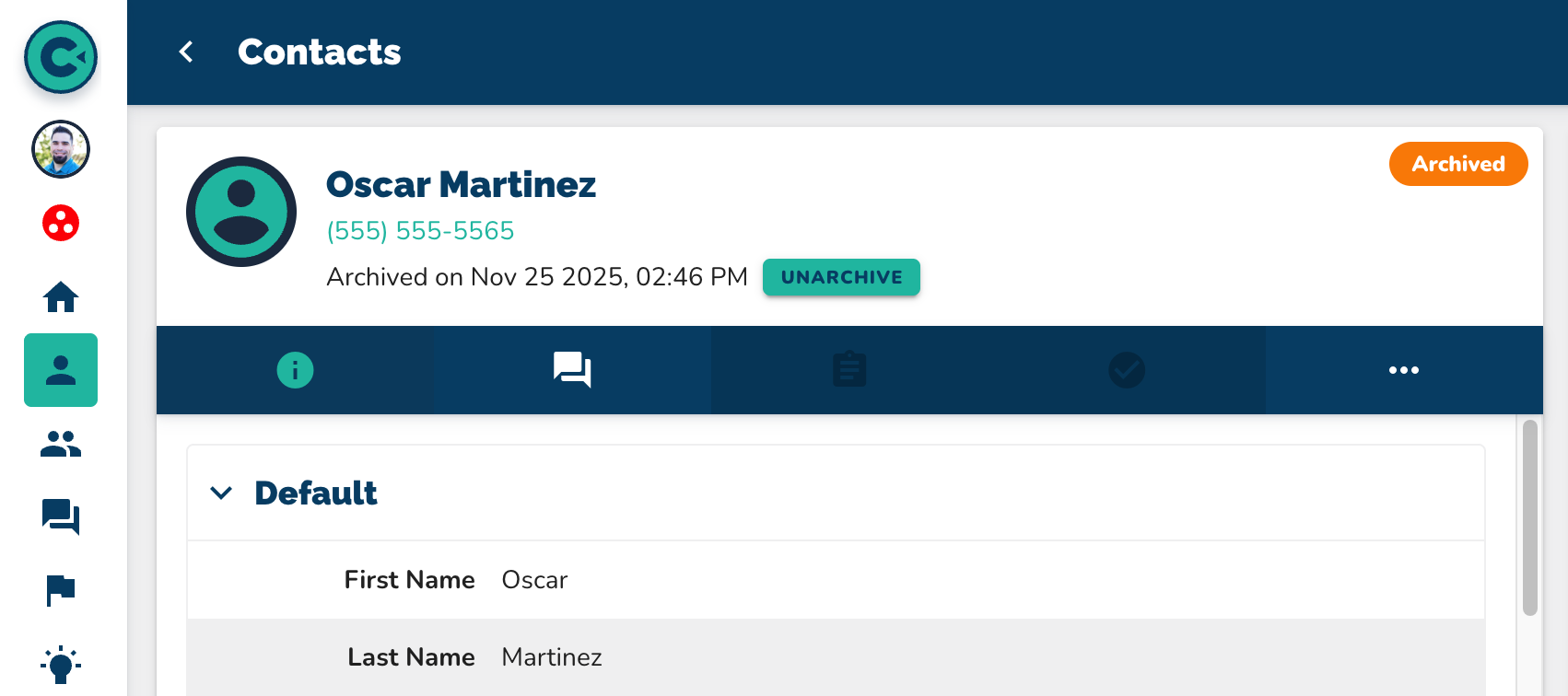
  1. To unarchive the contact, click on the green Unarchive button.

  2. The contact is now unarchived.

Automate Archiving a Contact
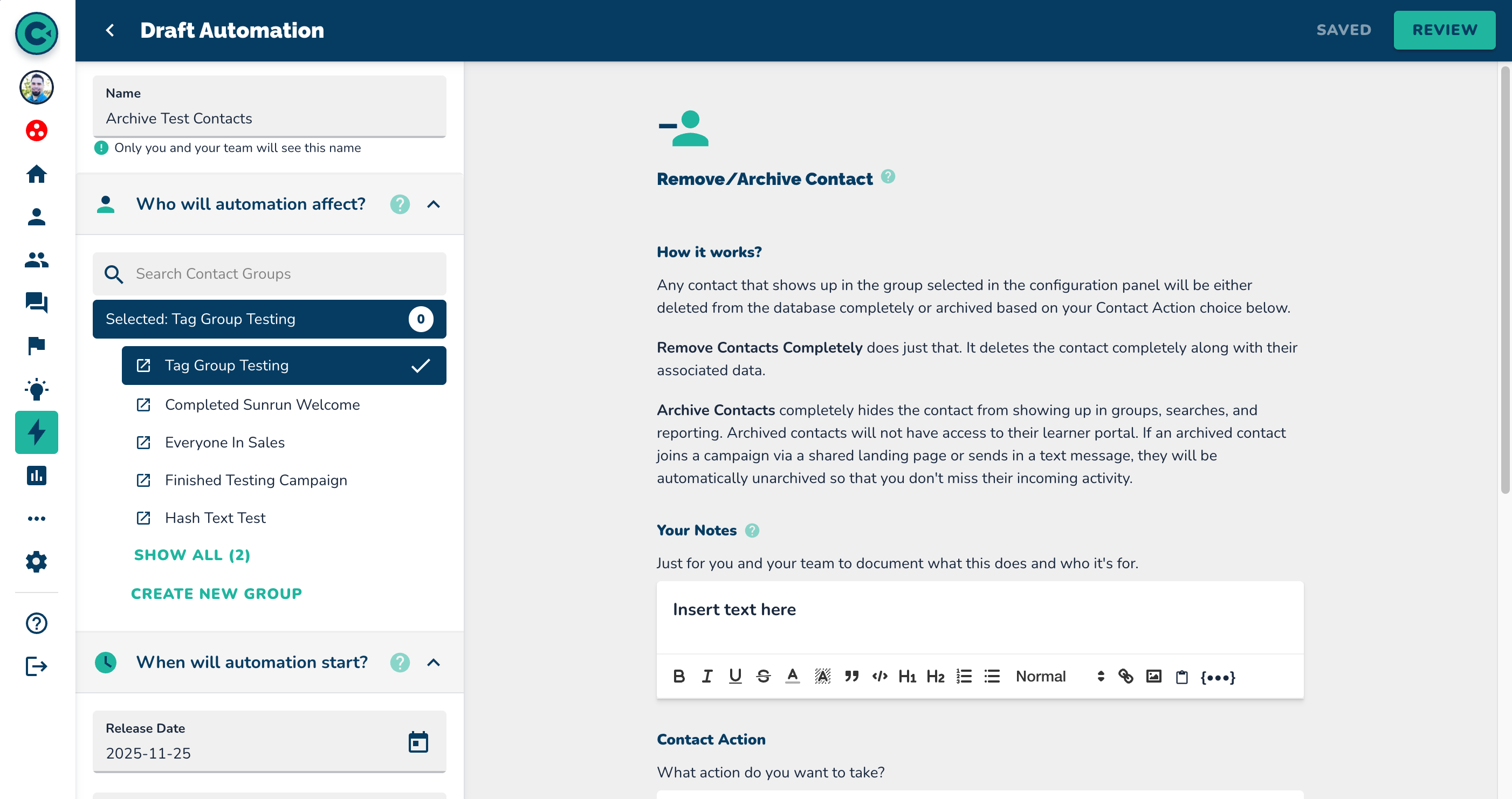
  1. Navigate to the Automations page.

  2. Click on “New Automation” in the top right corner.

  3. Scroll down to "Remove/Archive a Contact".

  4. Ensure that you select "Archive Contacts" and NOT "Remove Contacts Completely" in the automation.

    NOTE: We cannot reinstitute deleted (removed) contacts

More in Quick How To's

How to Add a Single Contact

Quick How To's

How to Add a Single Contact

This step-by-step walkthrough answers the questions: "How do I add a contact?", "How do I add a single contact?", and "How do I add one contact?"

How to Import Contacts

Quick How To's

How to Import Contacts

This step-by-step walkthrough answers the questions: "How do I import a list of contacts?", and "How do I add multiple contacts at once?"

How to Update Contacts

Quick How To's

How to Update Contacts

This step-by-step walkthrough answers the questions: "How do I update a contact?", "How do I change a contact's status?", and "How do I edit a contact's information?"

How to Search for Contacts

Quick How To's

How to Search for Contacts

This step-by-step walkthrough answers the questions: "How do I find a contact?", "How do I contacts?", and "Is there a way to search for people?"