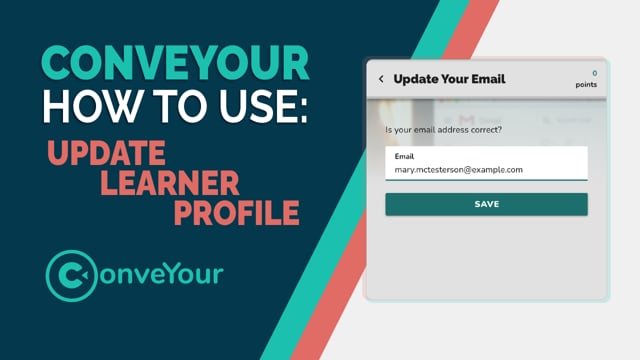
What Is the Update Learner Profile Lesson Item?
The Update Learner Profile lesson item allows you to prompt contacts to complete or update missing information within a lesson. This is useful for:
Collecting missing data from contacts who signed up via a web form or import.
Ensuring up-to-date contact details such as phone numbers, emails, or addresses.
Customizing learner profiles by gathering additional information.
How to Use Update Learner Profile
Add the Update Learner Profile Lesson item to your Lesson.
Pose a question requesting the missing information (e.g., "Please enter your updated mobile number.").
Identify the Contact field that you wish to update. (e.g., Mobile Phone, Email, Address).
Optional: Adjust field visibility settings
Hide existing value from contact: Prevents learners from seeing pre-filled data.
Skip if already set: Ensures only those missing data receive the prompt.
Click Done Editing to save your Lesson.
Collecting Multiple Data Points
If you need to collect more than one piece of information, simply add another Update Learner Profile lesson item.
If the required field does not exist, create it under Settings > Fields before using it in the lesson.
Learn more about creating custom fields here >>
Best Practices
Only request essential information to avoid overwhelming learners.
Use clear, direct prompts so learners understand what is needed.
Enable "Skip if already set" to prevent unnecessary duplicate entries.
Test the Lesson to ensure the data updates correctly.