What Are Stats Trackers?
Stats Trackers allow you to collect and measure key behaviors from clients, employees, or prospects over time. This feature helps with coaching, consulting, and performance tracking by integrating responses into ConveYour’s reporting system.
Use Cases
Track Progress – Measure skill levels at the start and end of a training program.
Schedule Check-Ins – Send reminders for self-assessments.
Evaluate Performance – Have participants log daily sales calls, productivity, or personal goals.
Gauge Opinions or Importance – Assess priorities, confidence levels, or engagement.
Example Questions:
"How many glasses of water did you drink today?"
"On a scale of 1-10, how present were you in client calls this week?"
"How many calls did you make today?" (Daily prompt at 5 PM)
"What is your current pain level?" (Healthcare use case)
How to Set Up a Stats Tracker
Step 1: Add Your Question
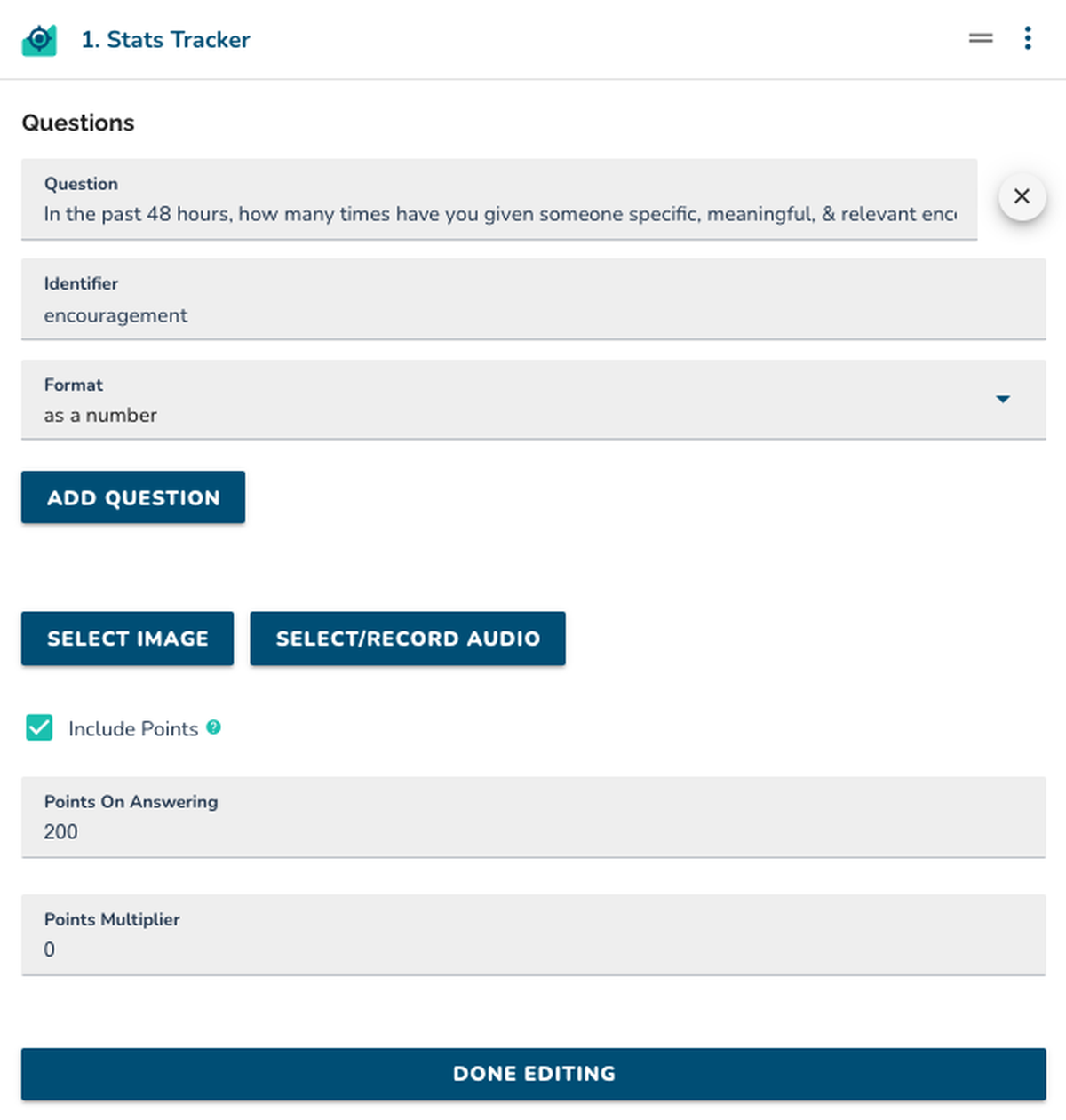
Add a Stats Tracker Lesson item to your ConveYour lesson.
Type your question, select your identifier, and choose a format.
Step 2: Include Media (Optional)
Add an image or audio recording to support the question.
Step 3: Configure Scoring (Optional)
Enable or disable points based on responses.
Set a points multiplier if higher scores should be rewarded.
 Best Practices
Keep questions simple and measurable for easy tracking.
Use scheduled reminders for consistent data collection.
Leverage reports to analyze trends and adjust coaching strategies.