What Are Poll Questions?
Polls are used when answers are subjective, with no single response being more correct than another. They are ideal for:
Gauging audience opinions on a topic.
Measuring sentiment or industry trends.
Encouraging engagement without competitive scoring.
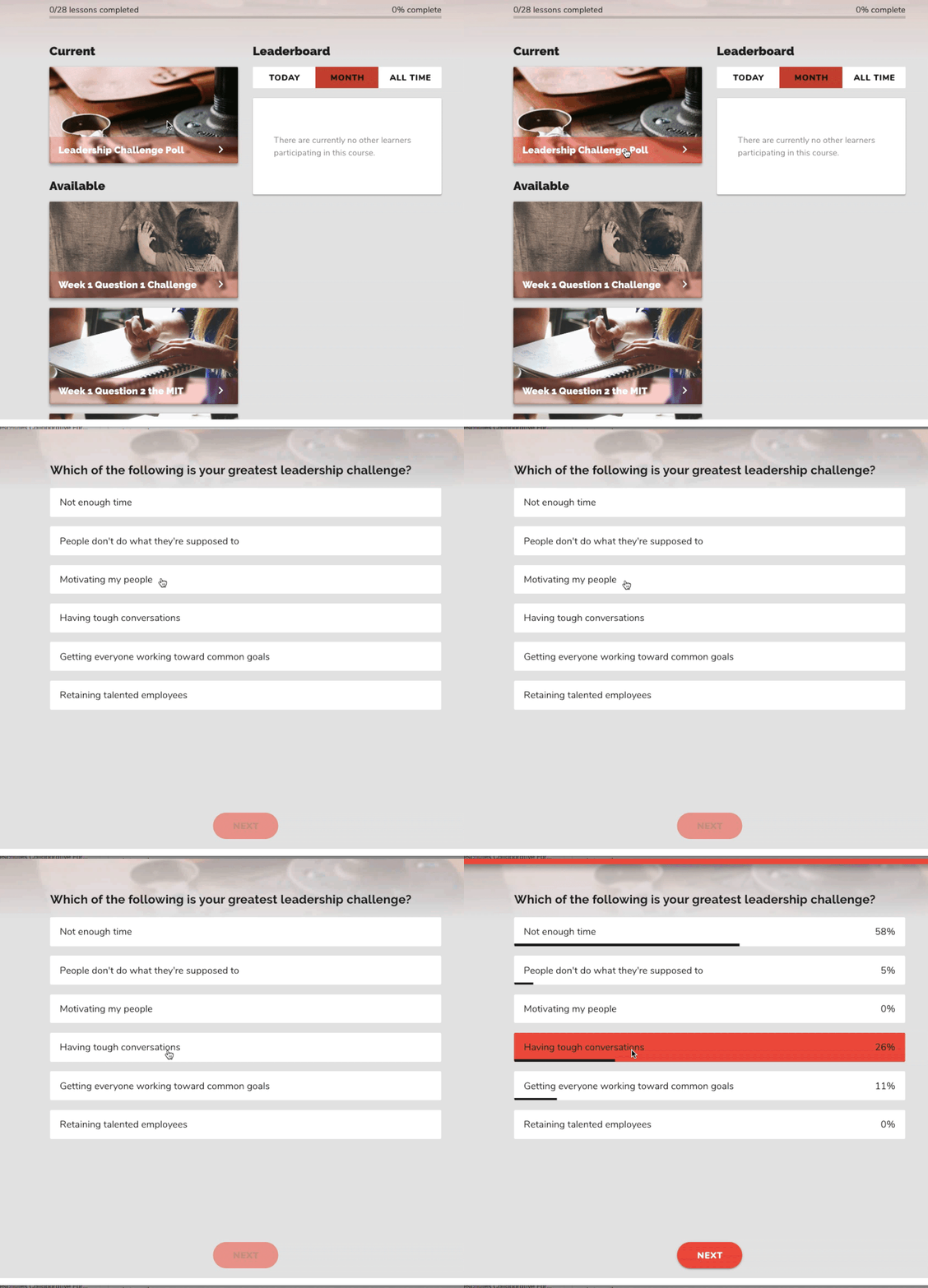
Participants can see how their responses compare to others, or results can be hidden for privacy-sensitive topics.
Poll Structure
Multiple-choice format.
No correct answers—all responses are treated equally.
Optional participation points can be awarded.
Results can be shared with participants or kept hidden.
Showing results can help reassure respondents that they are not alone in their views, fostering a sense of community.

Scoring Options
Points can be awarded for participating in a poll.
No weighted scoring—if you need weighted answers, consider using an Assessment instead.
Your Turn - Create a Poll
Creating a Poll Question
Step 1: Add Your Question
Enter the poll question text.
Step 2: Provide Answer Choices
Add multiple-choice options.
Click Add Option to include additional responses.
Step 3: Configure Poll Settings
Enable Points (Optional): Set a participation point value.
Hide Results (Optional): Keep responses anonymous if needed.
Step 4: Save & Publish
Click Done Editing once your poll is set up.
What method do you currently use to solve X?
What was your favorite part of the conference?
Which of these books did you find most helpful?
What's your favorite way to...?
Which of these marketing practices has worked best for you?
 Use Cases for Polls
Understanding audience attitudes before a presentation.
Gauging interest in a product, service, or topic.
Creating community value by sharing industry insights.
Boosting participation by polling a live audience for real-time feedback.
Example Questions
What method do you currently use to solve [X]?
What was your favorite part of the conference?
Which of these marketing practices has worked best for you?
Maximizing Poll Engagement
Use live polls to gather real-time feedback during presentations.
Analyze responses to tailor messaging or content based on audience sentiment.
Encourage interaction by showing aggregated results for discussion.