What Is the Video Upload Feature?
Video Upload allows learners to record and submit videos as part of a training or onboarding lesson. This feature is useful for practicing presentations, sales pitches, or reflecting on experiences.
Note: This is a premium add-on feature that is not included with all ConveYour plans. If you’re interested in enabling video uploads, please contact us.
Use Cases
Sales & Client Interactions – Have learners record practice calls or pitches for review.
Presentation Feedback – Allow participants to submit responses to a lesson or experience.
Soft Skills Development – Provide a way for learners to build confidence in communication.
Example Scenarios:
Practice initial client contact and submit for feedback.
Respond to a presentation or training module.
Record and upload a sales pitch for evaluation.
How to Set Up a Video Upload Lesson
Step 1: Add the Video Upload Lesson Item
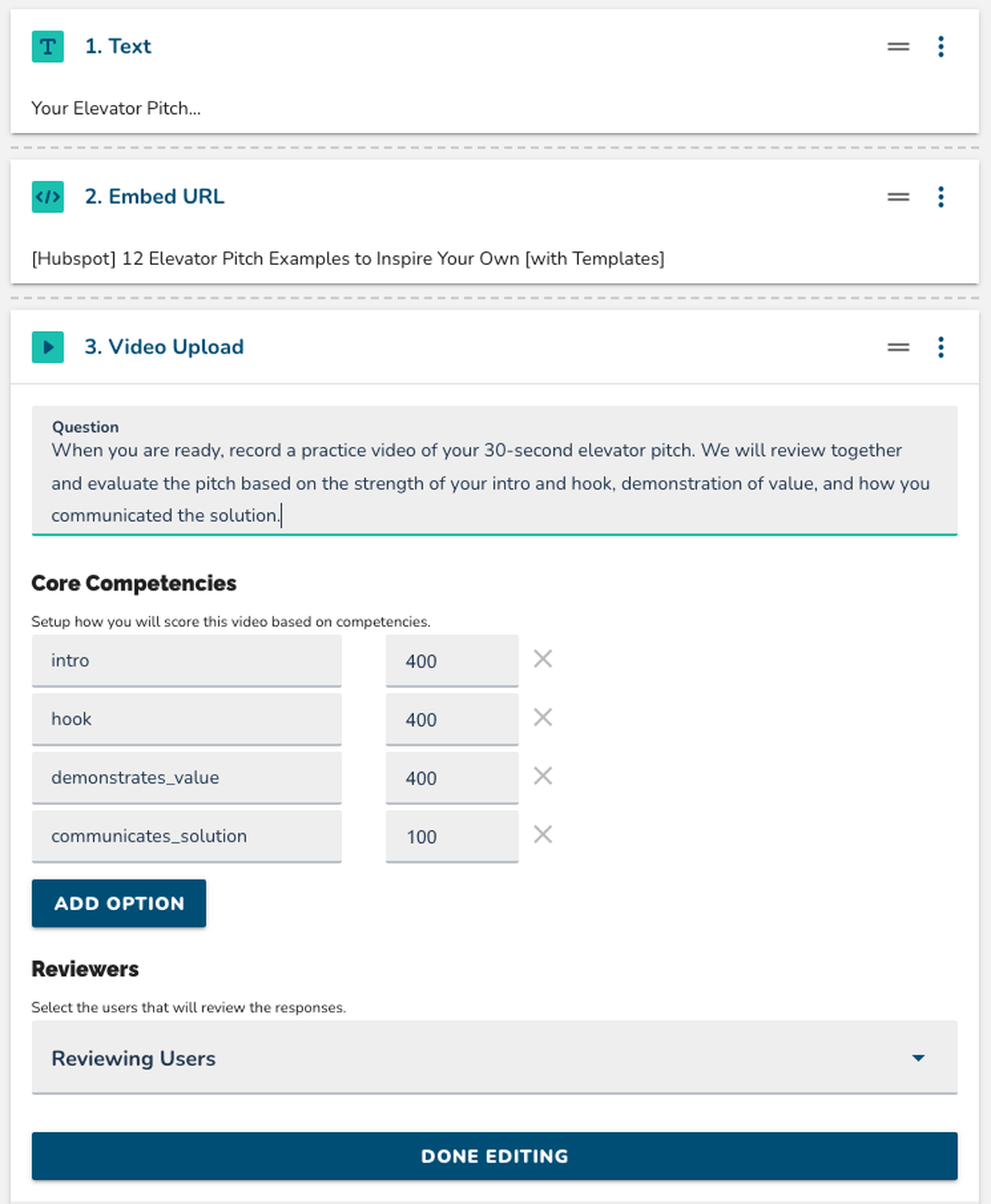
Add the Video Upload Lesson item to your ConveYour Lesson.
Enter the prompt or question learners should respond to.
If learners are being evaluated, provide clear evaluation criteria.
Step 2: Configure Evaluation Criteria (Optional)
Include core competencies for assessment (e.g., clarity, confidence, accuracy).
If no evaluation is required, remove core competencies by clicking the "X" button.
Step 3: Assign Reviewers (Optional)
Select team members responsible for reviewing submitted videos.
If no reviewers are selected, submissions will not trigger notifications.
 Best Practices
Provide clear expectations so learners know what’s required in their video.
Encourage concise responses to keep review times manageable.
Test the feature before launch to ensure smooth video submissions.