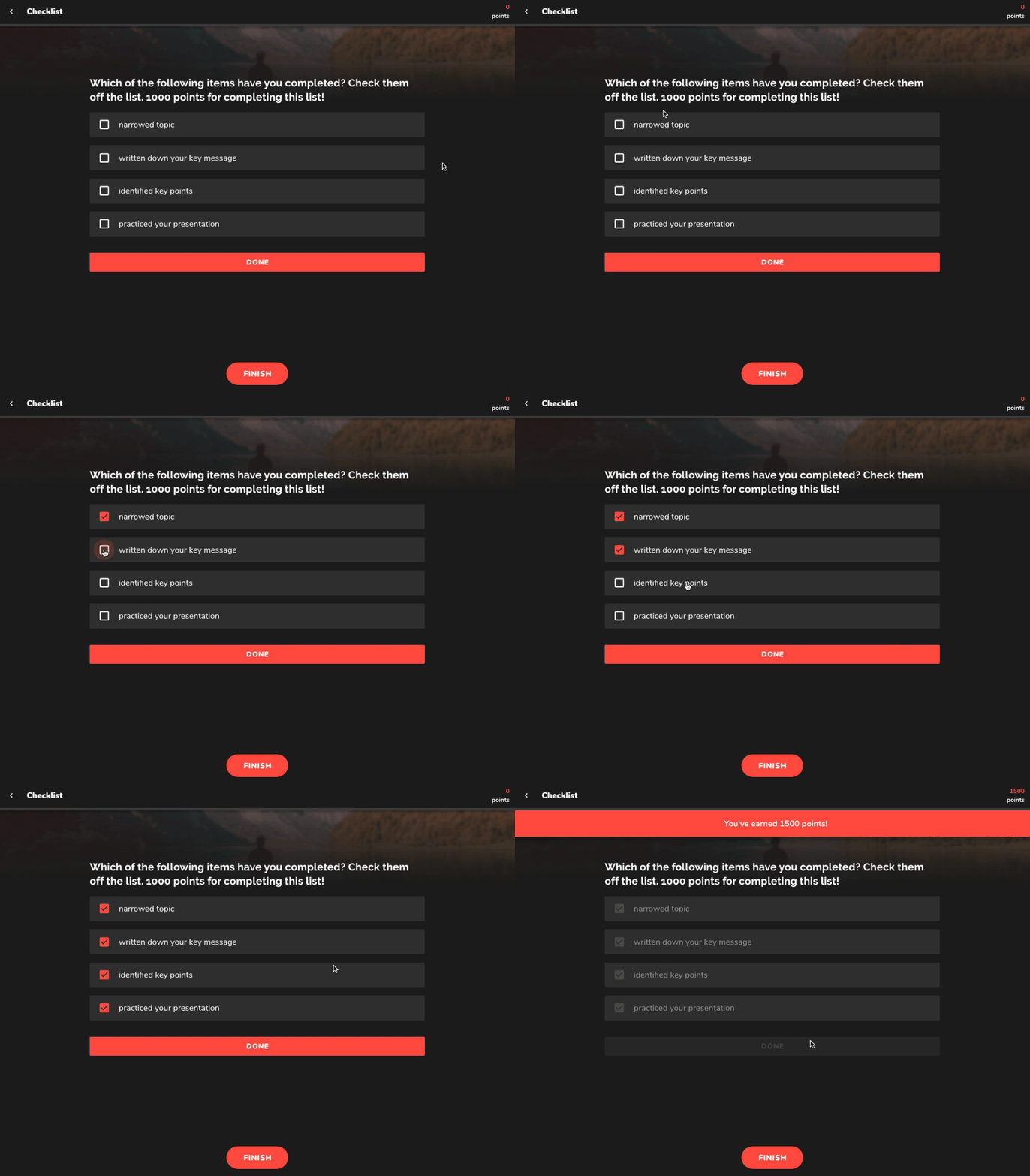
What Are Checklists?
Checklists provide a structured way for learners to track completed tasks within a lesson. They help reinforce key actions and ensure steps are followed before progressing.
Scoring System
Assign points for each completed item.
Award bonus points for completing the full checklist.
Use participation points to encourage engagement.
Use Cases
Task Completion – Ensure learners follow required steps before advancing.
Progress Tracking – Confirm key actions have been taken after watching a training video.
Practical Applications – Create shopping lists, procedural checklists, or step-by-step guides.
Example: Show a training video, then require participants to complete five key actions to achieve the overall goal.
 How to Set Up a Checklist
Step 1: Add a Checklist Item
Add the Checklist Lesson item to your ConveYour Lesson.
Enter the question or directive in the field.
Step 2: Include Media (Optional)
Add an image or audio clip for additional context.
Step 3: Define Checklist Items
List each task learners must complete.
Step 4: Configure Completion Settings
Select “Can Advance in Lesson” if learners can proceed without completing all tasks.
Choose whether to assign points for completion.
Set point values for individual items, full checklist completion, or participation.