What Are Challenge Questions?
Challenge questions use the Socratic method to test understanding by requiring participants to actively engage with a concept or fact.
These questions are ideal for friendly competitions, as they allow variable scoring based on accuracy and response time. Participants compete for top scores, making them perfect for leaderboards and prize incentives.

Multiple Choice Format
Multiple correct answers can be set per question.
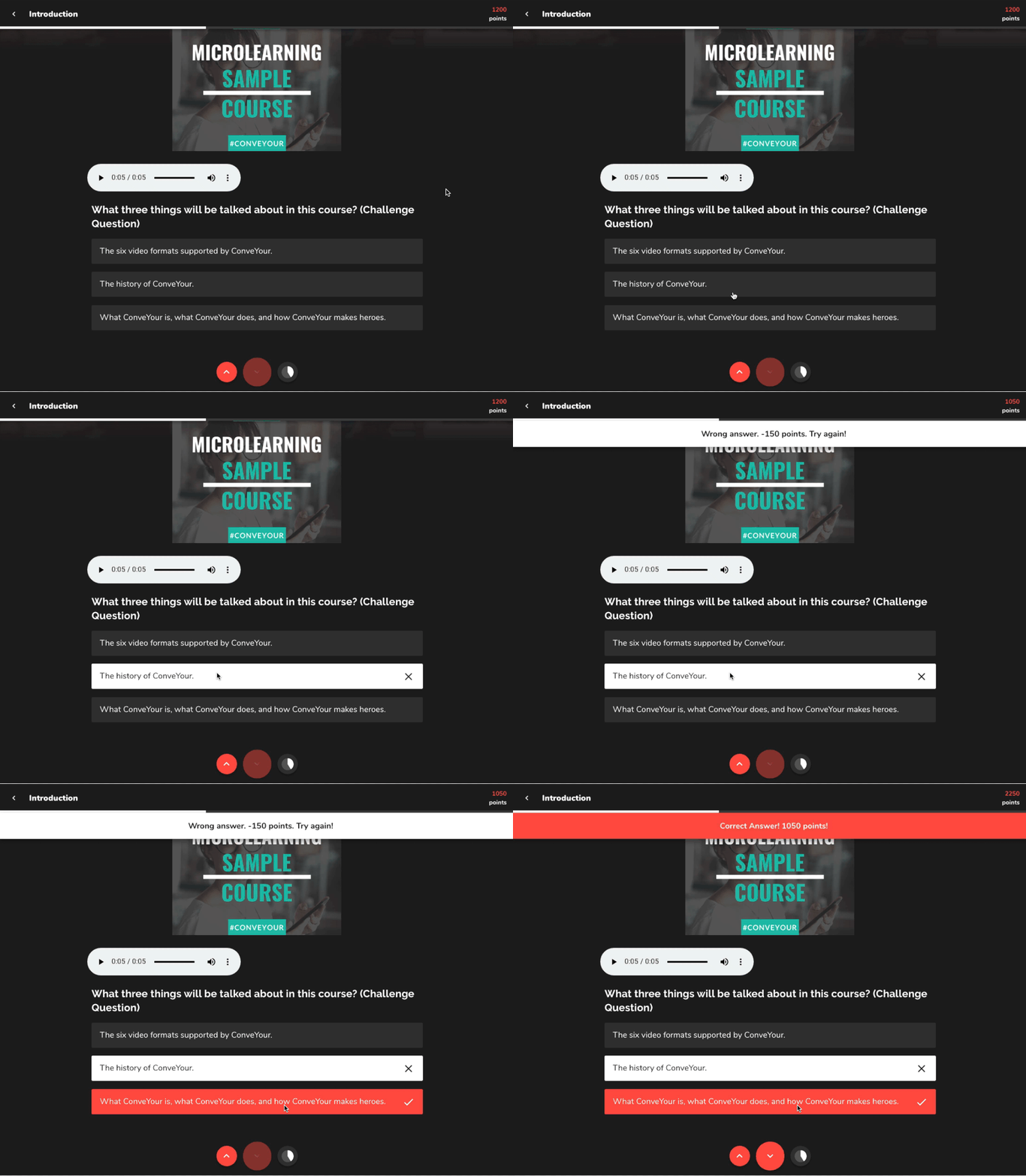
Participants can keep trying until they get it right (unless set to single submission).
A speed bonus can be applied, awarding more points for faster correct answers.
Scoring Breakdown
The final score follows this formula:
Max Points – (Wrong Attempts × Wrong Answer Penalty)
Points deducted for each incorrect attempt (if applicable).
Speed bonus adds a few points based on response speed, encouraging learners to answer accurately and quickly.
How the Speed Bonus Works
Setting Up a Challenge Question
Step 1: Add Your Question
Enter the challenge question text.
Step 2: Define Answer Choices
Input multiple-choice answer options.
Step 3: Configure Question Settings
Single Submission Mode: Limit participants to one attempt if enabled.
Points System:
Set maximum points for correct answers.
Define wrong answer penalties (ensure deductions won’t bring scores to zero).
Enable speed bonus if quick responses should be rewarded.
Step 4: Save & Test the Question
Review the scoring setup.
Ensure the difficulty level matches the competition or learning objectives.