Group Created from the Activity Feed in Contact Profile
This method allows you to quickly create a group based on a contact’s progress or behavior in a course.
If you want to find all contacts who completed a lesson or answered a question, you first need to identify those individuals and create a group based on their actions.
Step-by-Step Guide
1. Identify the Course Activity
In your Course/Campaign, click on Content.
Select the Lesson you want to track.
Test the lesson.
During testing, ConveYour assigns credit for lesson completion to Mary McTesterson (a test profile).
2. Locate the Contact’s Profile
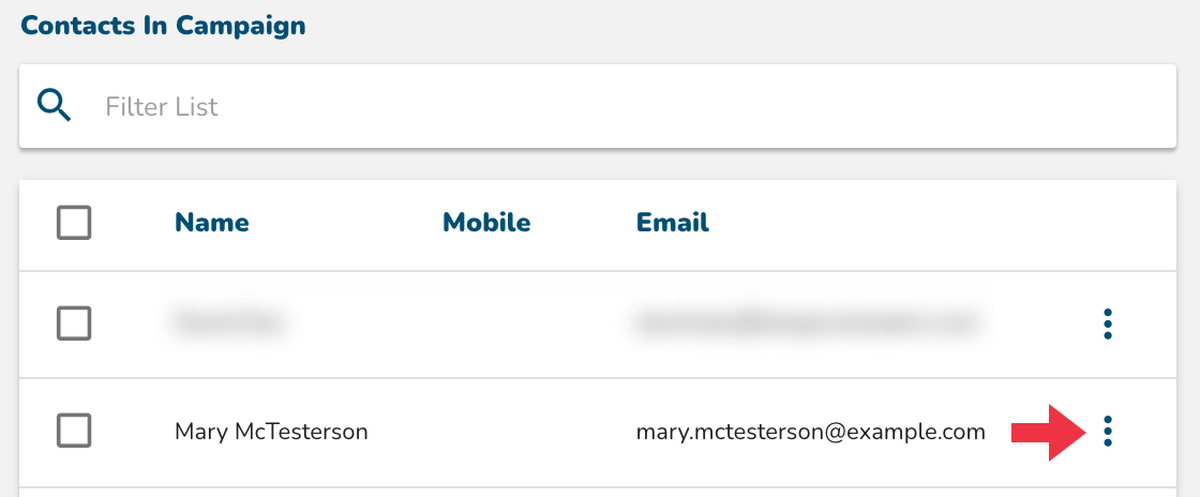
After a contact completes the lesson, navigate to Main Menu > Contacts.
Click the context menu (three dots) next to the contact’s name.
Select View Profile.

 3. Review Activity Feed & Create a Group
In the Contact Activity Feed, find the completed Lesson.
Click on the Lesson activity to expand the details.
Click View Group to find all contacts who match this condition (completed_lesson).
 This action automatically creates a group of all contacts who have completed that specific lesson in the same campaign.
 Automating Messages & Next Steps
Once the group is created, you can set up automations to:
Send a follow-up text or email to group members. Examples:
"Thank you for your feedback!"
"Congratulations on completing this section!"
Trigger the next course in a learning series if this was the final lesson of an introductory course.
Learn More
Learn more about creating automations here. >>
Learn more about automating a text message blast to a group here.>>